

How to Find the Right Replacement Part for Your TV
Most TV repairs come down to one board. This guide shows how to find the exact part number, and which board usually causes which fault, so you order the right part the first time.
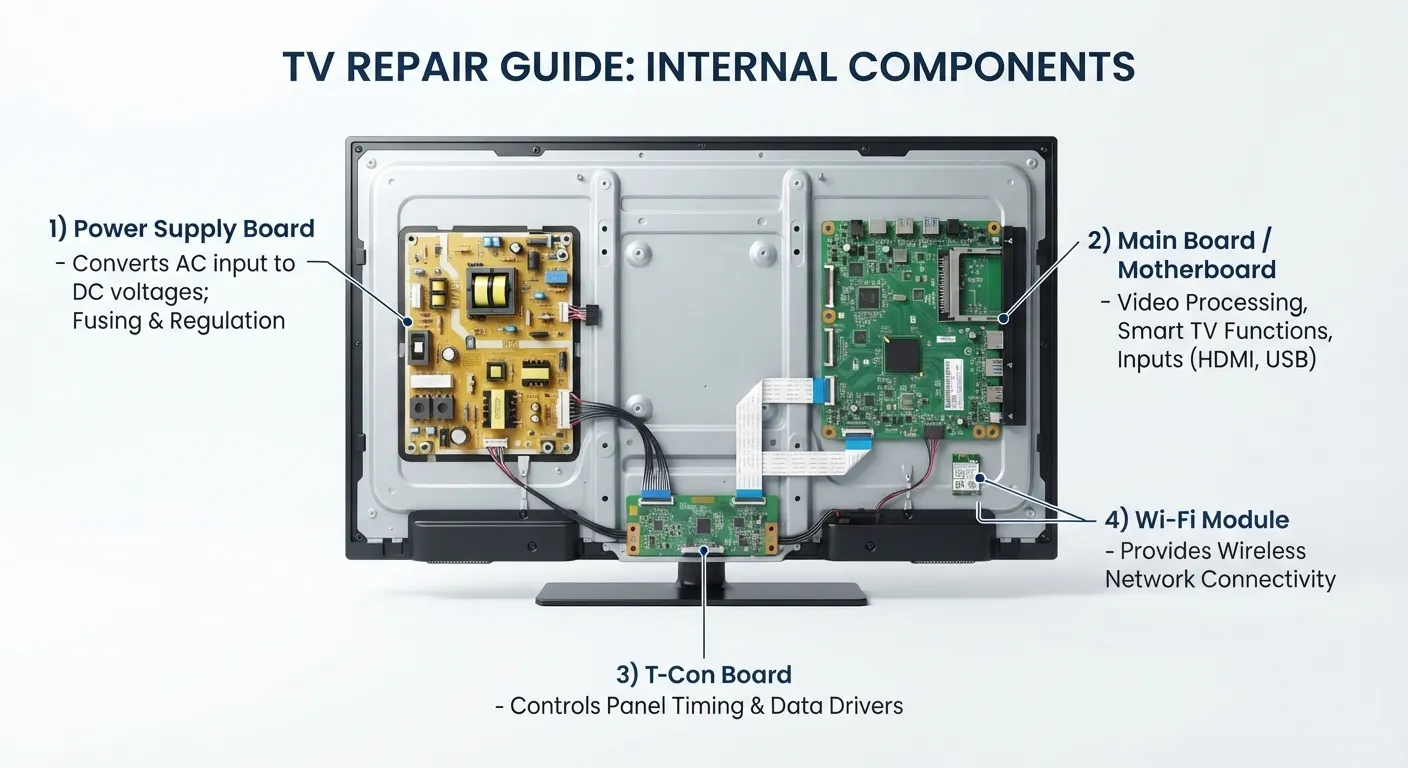
Find your TV model number
The model number is on a sticker on the back of the TV, often near the inputs. Many TVs also show it in the settings menu, under Support or About This TV (the menu names vary by brand). Write it down, including every letter and the suffix after the slash.
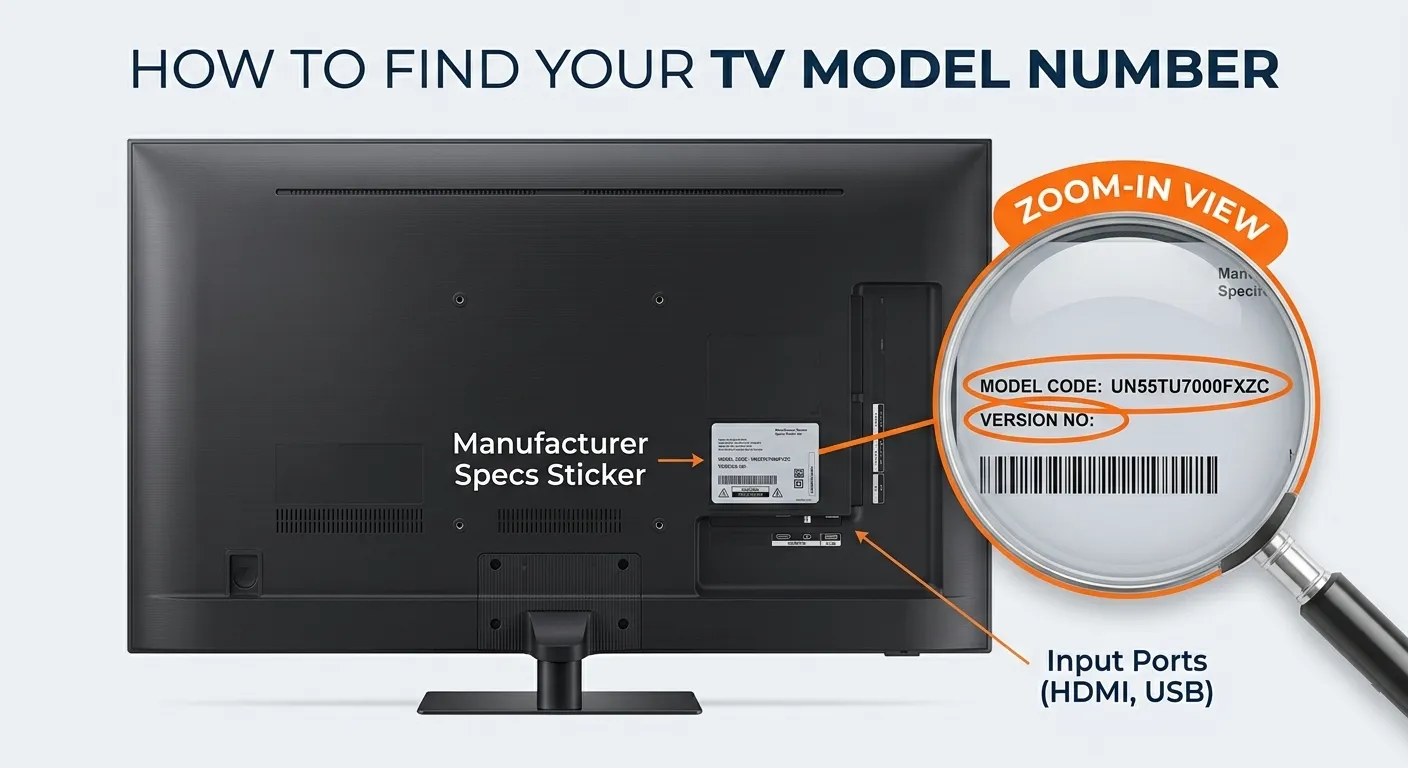
Why the model number isn't enough
One TV model is often built with different boards over its life, so two TVs with the same model can need different parts. The number printed on the board decides. Match that number, and use the model only to narrow the search.
Find the part number on the board
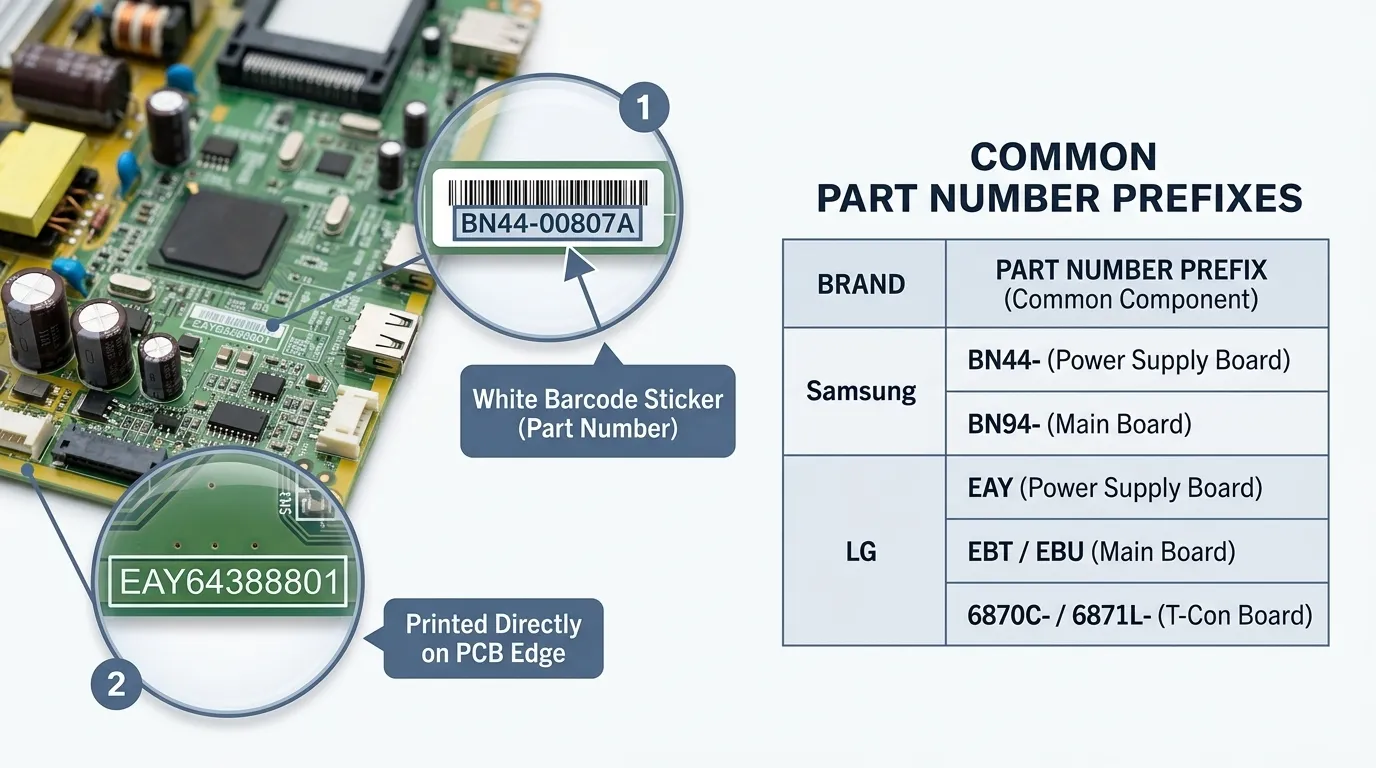
The number is usually on a white sticker on the board, or printed on the circuit board itself, near an edge. Common prefixes:
- SamsungBN44-usually the power supply board
- SamsungBN94-usually the main board
- LGEAYusually the power supply board
- LGEBT / EBUusually the main board
- LG6870C- / 6871L-usually the T-Con board
Other brands use their own formats. Search for the full number exactly as printed.
Match the symptom to the board
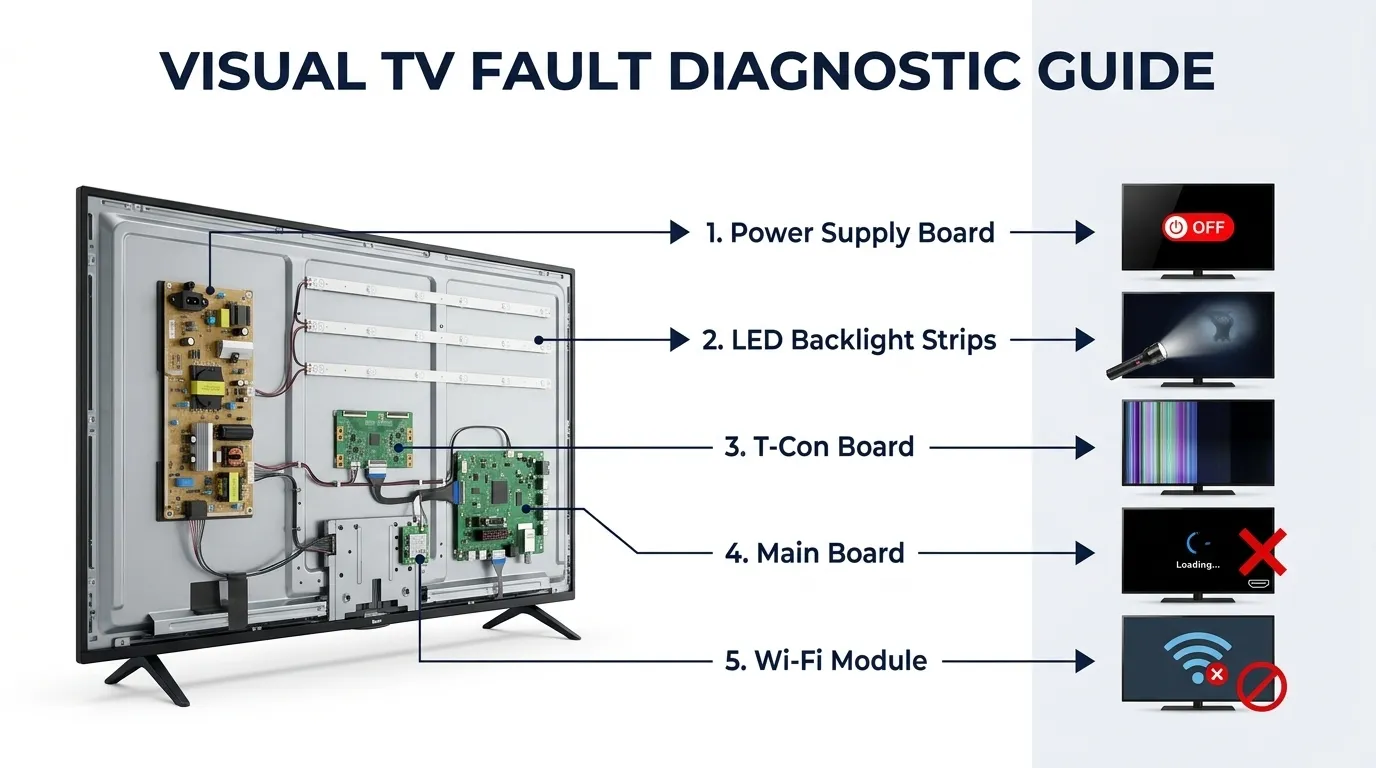
Won't turn on, no standby light, or clicks on and off
Usually: Power supply board
Sound but no picture; a flashlight held close to the screen shows a faint image
Usually: Backlight strips, sometimes the LED driver
Lines, half the screen dark, or wrong colours
Usually: T-Con board (lines can also come from the panel itself, which we don't sell)
Stuck on the logo, restarts by itself, or inputs and HDMI don't work
Usually: Main board
Wi-Fi not found, or it keeps dropping
Usually: Wi-Fi board
Find your part
Not sure? Call (403) 402-1729 or email a photo of the board and its label to support@yycelectronicparts.ca.